 Brolly
 The comment tally on records
What the comment count on Feed record cards means, and why it can differ from the number on the platform.
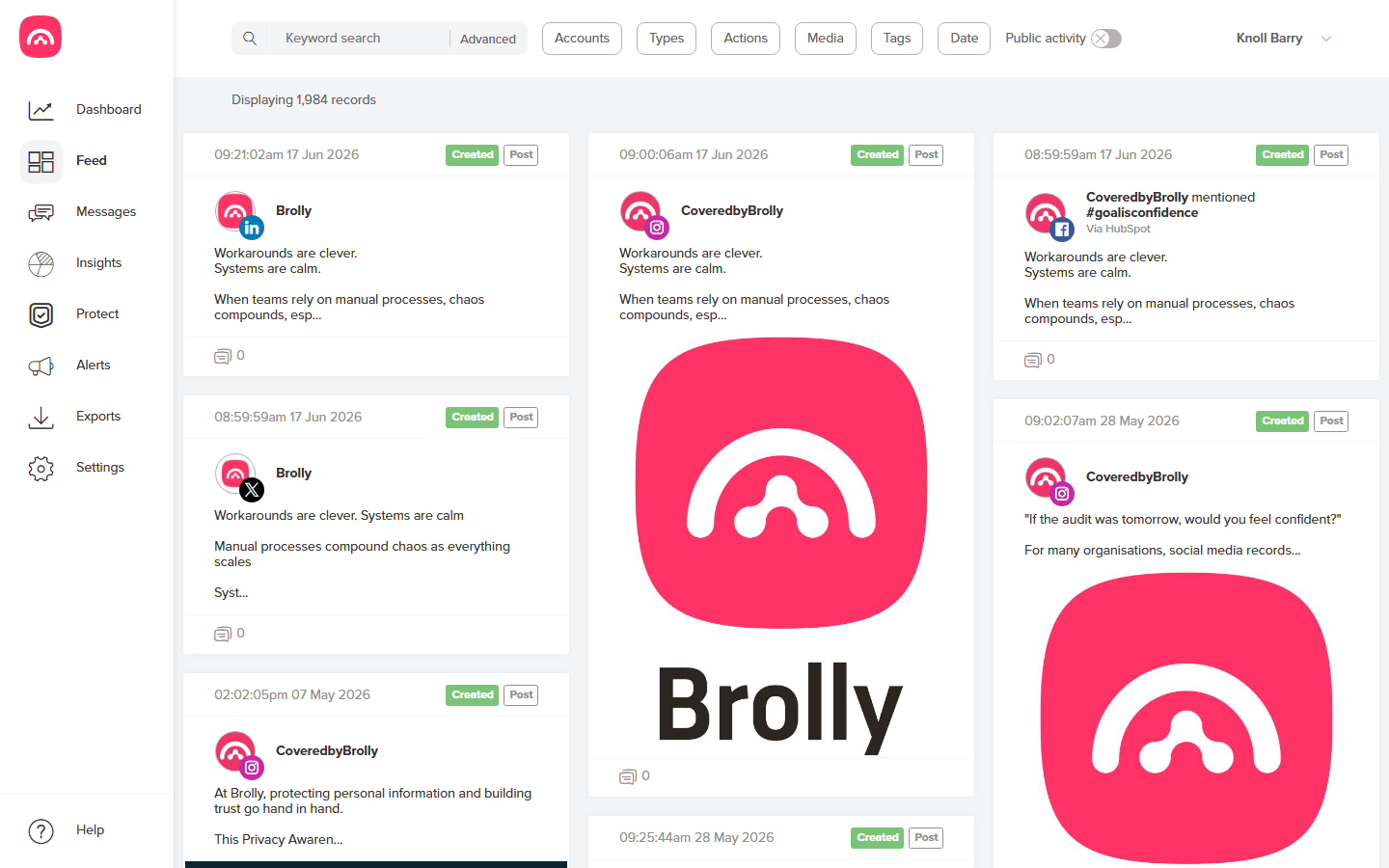
Each post record in your Feed carries a comment tally — a small count beside the comment icon on the record card, alongside the capture timestamp, the action badge (for example Created) and the type badge (for example Post).
What the number means
The tally is the count of comment records Brolly has captured for that post. It's a quick way to see which posts sparked conversation, and it appears on all post records.
Why it can differ from the platform's count
The tally in Brolly will sometimes differ from the comment count you see on the social media platform itself. That's expected, for two reasons:
- Your archive keeps everything. Brolly records all actions — including comments that were later edited, deleted or hidden. The platform only counts what's currently publicly visible, so the archive tally can be higher.
- Some content can only be captured in real time. On some platforms, replies and shares can't be backfilled. If a post attracted comments before your account was connected to Brolly, those pre-connection comments may not be in the tally — see Historic records.
Digging into the comments
Select a record to view its captured comments in full. You can also filter the Feed by record type to work with comments directly — see Searching your archive.