 Brolly
 Turn off message capture for an account
How to stop archiving private messages for a connected account while keeping posts and comments flowing.
When you connect an account with messages enabled, private and direct messages sent to that account are captured and appear in Messages. If your organisation decides it no longer wants to archive private messages for a particular account, you can turn message capture off for that account without affecting posts and comments.
Check which accounts have messages enabled
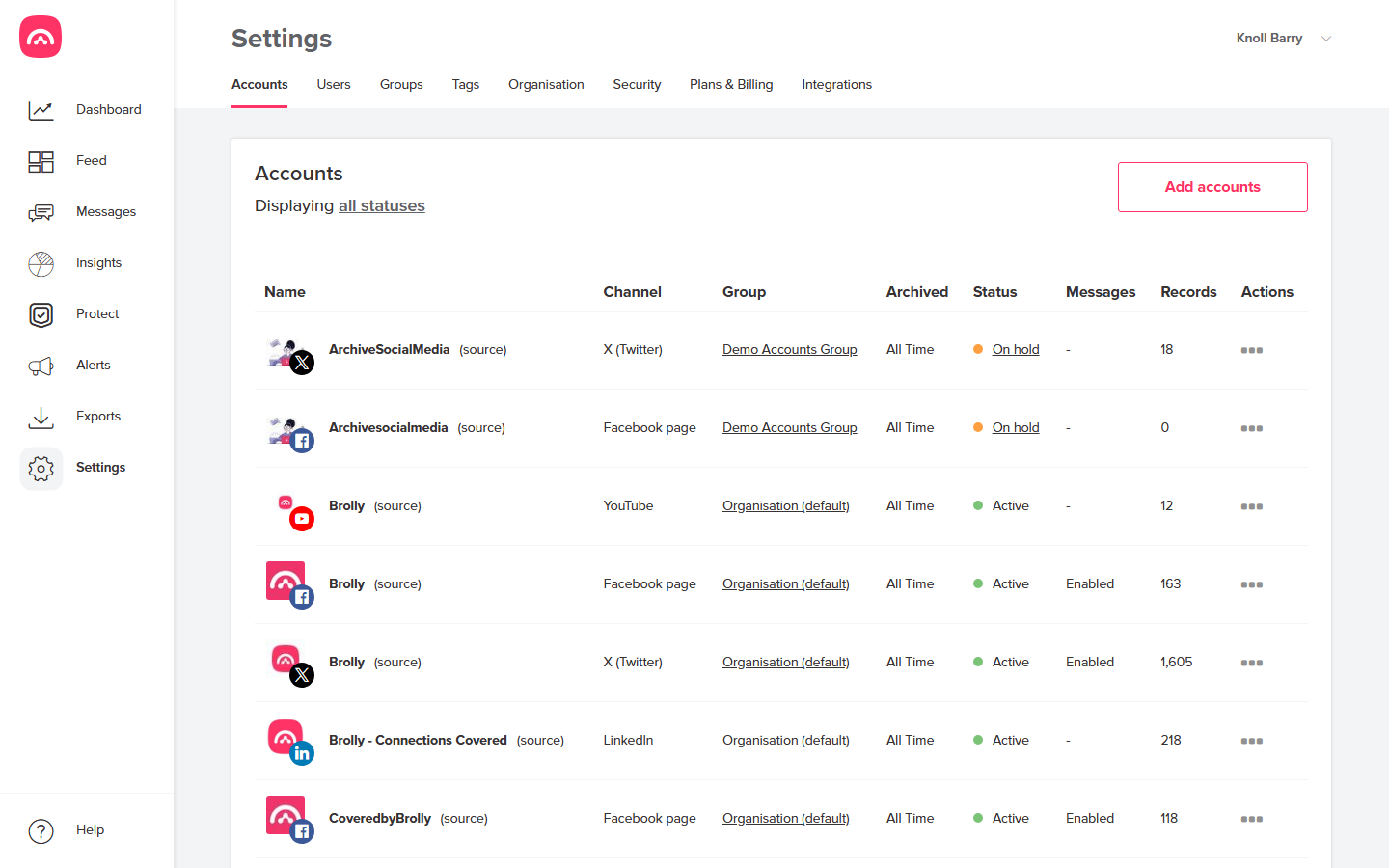
Go to Settings → Accounts. The Messages column in the table shows Enabled for accounts capturing messages, or a dash (–) for accounts that aren't.
Turn message capture off
- In Settings → Accounts, find the account in the table.
- Open the account's actions menu (⋯).
- Turn message capture off for the account and confirm.
The Messages column for the account changes to a dash, and Brolly stops capturing new private messages for it. Posts, comments and other public activity continue to be archived as normal.
You need sufficient permissions in Brolly to manage account settings — see Users, roles and permissions.
What happens to messages already captured
Turning message capture off stops new messages being archived; it does not delete the message records already in your archive. Those remain, subject to your organisation's retention settings — see Retention and legal hold. If you believe previously captured messages should be removed, contact support@brolly.com.au to discuss it with our team.