 Brolly
 Searching for posts by a specific person
Use the Advanced search's Username field to find every archived post or comment from one person.
Social media moves fast, and scrolling the Feed for one person's activity is slow work. The Advanced search does it in seconds: enter all or part of a person's name and Brolly surfaces every archived record from them.
Run the search
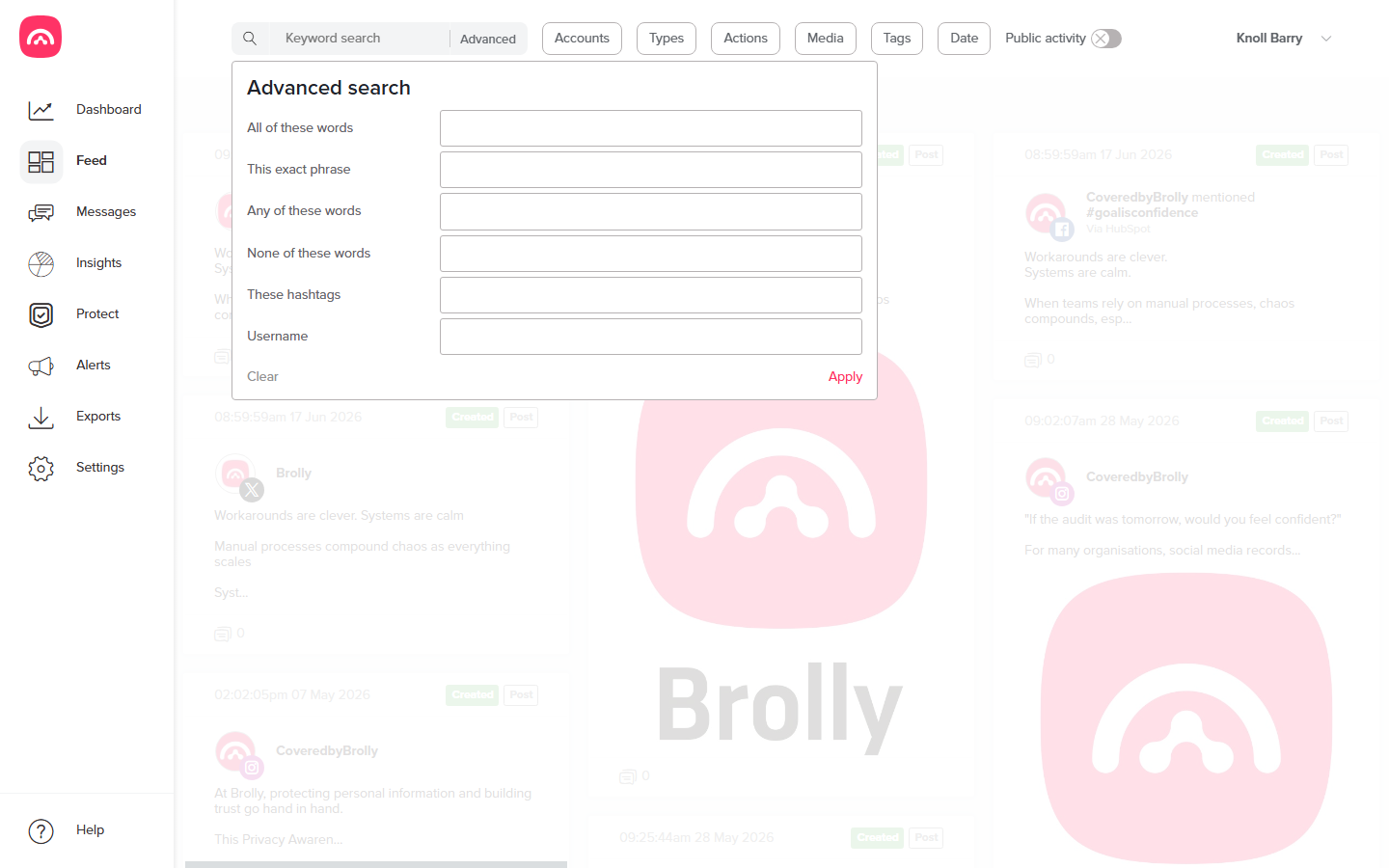
- Go to the Feed. It shows the records captured from your connected accounts.
- Click Advanced next to the search bar to open the advanced search popover.
- Enter all or part of the person's name in the Username field. A partial match — just a first name or last name — works fine.
- Apply the search to see the Feed filtered to that person's activity.
Include activity from the public
Most posts by other people are comments and replies on your organisation's pages, which Brolly treats as Public activity. If your results look thin, check the Public activity toggle above the Feed — switch it on so records from the public are included, not just posts made by your own accounts.
Refining further
The Username field stacks with everything else in the Advanced popover — All of these words, This exact phrase, These hashtags — and with the Feed's Accounts, Types and Date filters. That lets you answer questions like "everything this person said on our Facebook page during March" in a single query.
Once you've found the records you need, open any of them to view the full detail, or turn the whole result set into an export for a records request.