 Brolly
 An account stopped capturing — what to check
For Facebook, Instagram, Threads and TikTok the usual cause is an expired token — here's how to spot an account on hold and reconnect it.
If new posts stop appearing in your Feed, what to check depends on how the account is connected. Facebook, Instagram, Threads and TikTok connect with a sign-in and use access tokens — the platform expires these periodically as a security measure, and that's the usual cause. X, YouTube and LinkedIn connect without a sign-in and don't use tokens at all, so they can't lapse this way.
Check the account status
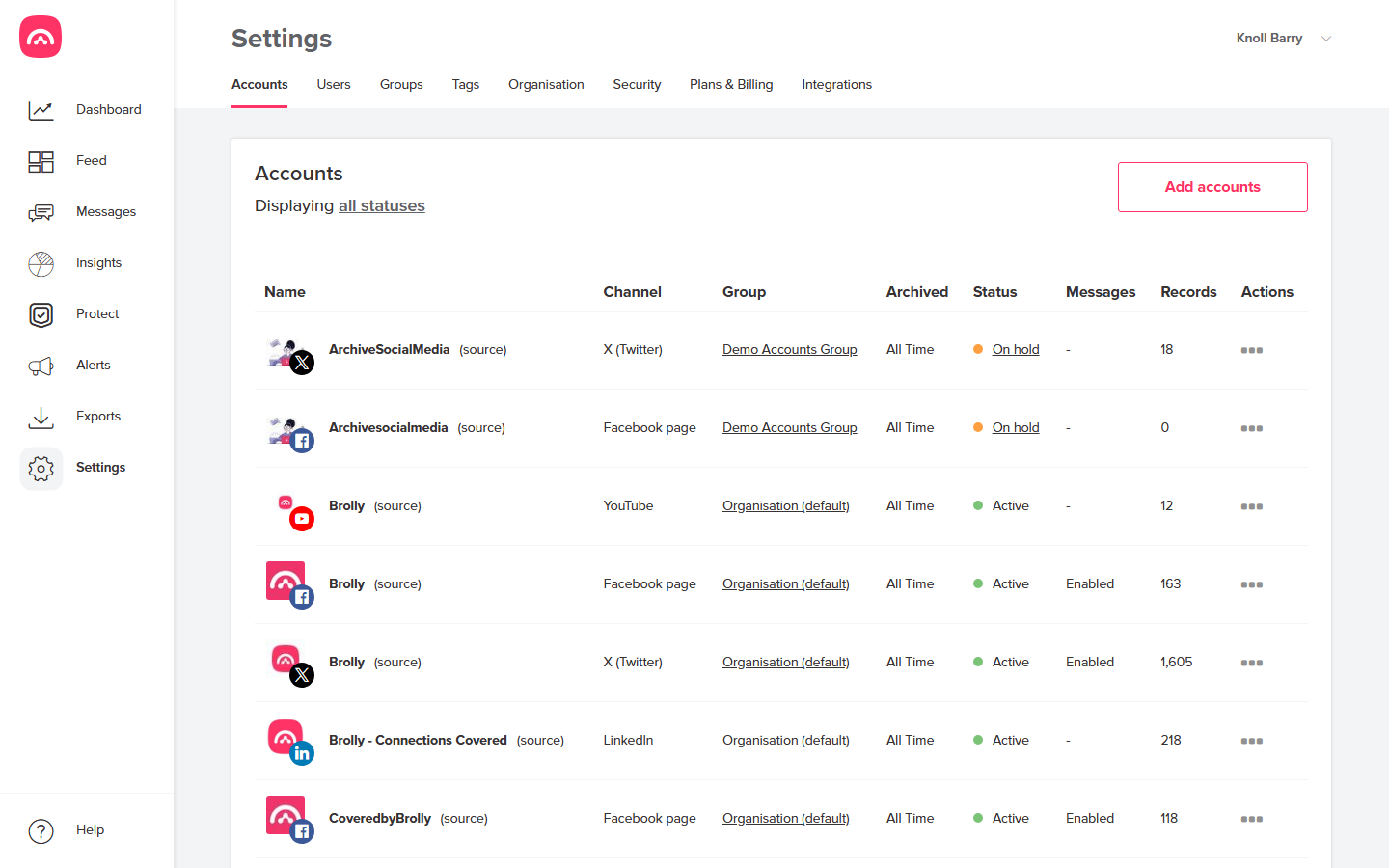
- Go to Settings → Accounts.
- Healthy accounts show Active in the Status column; a sign-in account whose connection has lapsed shows On hold.
Reconnect (Facebook, Instagram, Threads, TikTok)
- Open the actions menu (⋯) on the account's row and choose to reconnect.
- Sign in again with the platform account that manages the page — the same one used to connect it originally.
- Once the status returns to Active, Brolly backfills anything missed during the gap, so no records are lost.
If it keeps disconnecting
Confirm the platform account you reconnect with is still an admin of the page — losing page admin rights is the most common cause of repeat disconnections. If the account is definitely an admin and it still drops, email support@brolly.com.au.
X, YouTube or LinkedIn stopped capturing
There's nothing to reconnect on your side — no token is involved. Check the handle or URL on the account's row is still correct (a renamed @handle or moved page breaks capture), and if it looks right, email support@brolly.com.au and we'll check the capture from our side.