 Brolly
 Reconnecting Facebook when tokens have expired
If a Facebook account shows On hold, reconnect it from Settings → Accounts — Brolly backfills anything missed while it was disconnected.
Facebook connections rely on a token — a system-generated credential that works like a password between Brolly and your page. Facebook sometimes expires or resets tokens to keep access secure, or when it changes how your account is accessed. When that happens, the account shows as On hold in Brolly and needs to be reconnected.
Before you begin
- Log in to Facebook first — the reconnection is much smoother if you're already signed in with the account that manages the page.
- Confirm you're an admin (or editor) of the page. Without that access on the Facebook side, you won't be able to reconnect.
- Allow pop-ups for Facebook in your browser, so nothing from Facebook gets blocked mid-way.
Reconnect the account
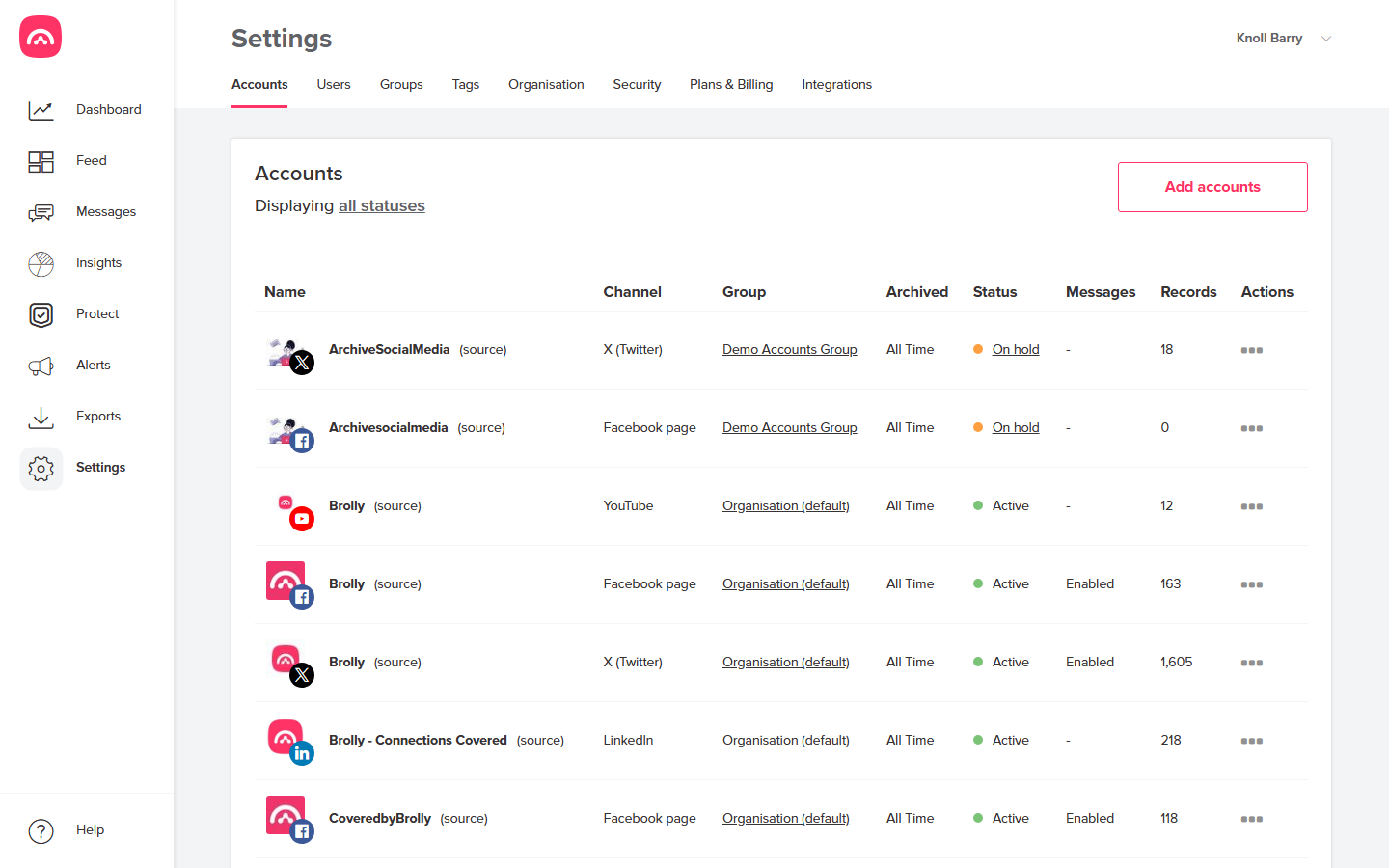
- Go to Settings → Accounts and find the Facebook account. Its Status column will show On hold.
- Open the account's actions menu (⋯) and choose Reconnect.
- Facebook walks you through granting read-only access again — sign in if prompted and approve the permissions.
- Back in the account list, the status should return to Active.
What about the gap?
You don't lose anything. Once the account is reconnected, Brolly backfills whatever was missed while the connection was down, so your archive stays complete.
If the reconnection fails, or the account won't return to Active, see An account has stopped capturing or email support@brolly.com.au — we're happy to help.